
IQ Air Conditioners | on cue for you

MB Series R410a Fixed Speed

MB Series R410a Fixed Speed

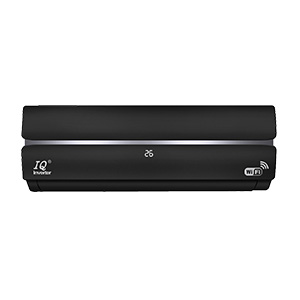
IQ MB Series represents a smarter way to live comfortably, combining cutting-edge innovation, eco-friendly energy efficiency, and advanced air purification technology. This fixed-speed heating and cooling series is designed to deliver rapid climate control while ensuring a healthier, cleaner indoor environment.

MODEL: 
From Sizes 9K Btu - 24K Btu

  • Description
  • ERROR CODES

MB Series Fixed Speed

Enhanced Airflow Design

Our newly engineered airflow system significantly minimises air resistance, ensuring a smoother and more expansive airflow. Experience a refreshing breeze that covers a wider area, providing consistent comfort throughout your space.

Efficiency: This streamlined design improves maintenance turnaround times by 50%, reducing labor costs and downtime.

Energy Saving 30%

Equipped with a world-renowned, highly efficient compressor, our air conditioner offers rapid cooling and heating capabilities. This advanced technology enables energy savings of over 30%, making it an eco-friendly choice that reduces your energy bills without compromising performance.

PCB Easy Maintenance Design

Designed for easier servicing and quicker access, the PCB layout improves maintenance efficiency and simplifies repairs, helping technicians reduce service time and improve reliability.

Negative Ion 3.0

Our upgraded Negative Ion 3.0 system generates small, highly active particles that effectively neutralise indoor air pollutants. These ions, often called "air vitamins," enhance air quality by creating a healthier indoor environment.

UVC Sterilization

Utilizing advanced UVC sterilization technology, our air conditioner destroys harmful microbes' DNA or RNA structure, providing a thorough and rapid disinfection process without chemicals or secondary pollution.

ECO Function

Activate ECO mode in cooling mode, and the temperature will automatically set to an optimal 26°C. This feature ensures efficient energy use while maintaining a comfortable indoor environment.
Error Codes

Code (Outdoor / Indoor) Fault Content Troubleshooting Method
Out: 25 Indoor EE Failure 1. Check all connecting wires of the indoor unit.
2. If wiring is normal, please replace the indoor electromechanical control board.
- Indoor Fan Fault 1. Check whether the indoor motor wire and feedback wire are normal.
2. If wiring is normal, the indoor motor may be damaged. Replace the indoor electric control board to test, and then choose to replace the motor.
Out: 27
In: 62
Zero Sensing of Indoor Fan Abnormal Please replace the indoor unit electric control board or replace the indoor motor.
Out: 25 Failure of Indoor Coil Temperature Sensor 1. Check whether the indoor coil connection is normal.
2. Use a multimeter to measure the resistance. It should be 10KΩ at 25°C, otherwise it may be short-circuited or broken. Please replace the sensor.
Out: 25 Failure of Indoor Room Temperature Sensor 1. Check whether the indoor room temperature sensor is connected properly.
2. Use a multimeter to measure the resistance. It should be 10KΩ at 25°C, otherwise it may be short-circuited or broken. Please replace the sensor.
- Outdoor Unit Abnormal 1. Evaluate outdoor ambient temperature (may be higher than 45°C).
2. Check outdoor unit ventilation. Ensure items are not blocking the heat exchanger and it is not too dirty.
3. Check whether the outdoor fan is running normally (speed too slow or not turning).
4. Check the resistance value of the coil temperature sensor.
5. Check if the outdoor unit stop valve is fully open and ensure the connecting pipeline has no serious bending or deformation.
6. Check the operating pressure of the refrigeration system and check for refrigerant leakage.
7. Check whether the compressor is running normally.
- Outdoor EE Failure 1. Check all connecting wires of the outdoor unit.
2. If there is no problem with the wiring, please replace the outdoor electrical control board.
- Communication Failure of Indoor and Outdoor Machines 1. Ensure the ground wires of the indoor power line and connection lines are properly grounded.
2. Check whether the connection wires between indoor and outdoor units are worn or disconnected. Re-wire if necessary.
3. Measure if indoor unit L and N have 220V voltage. If not, replace the indoor electromechanical control board.
4. If indoor L and N have 220V but outdoor does not, replace the indoor/outdoor connection lines.
5. If outdoor L and N have 220V, check the outdoor PCB indicator light. If off, check wiring to terminal. If wiring is good, replace the outdoor electric control board.
6. If the indicator light is on, the communication circuit is faulty. With power off, use a multimeter to measure resistance between N and S (cross-measure test leads). Normal resistance is infinite; if there is resistance, disconnect and check indoor unit NS.
- Outdoor PCB Failure 1. Ensure user power line is properly grounded.
2. Power off for 3 minutes and restart to see if the fault is resolved.
3. Check whether the power supply voltage is normal.
4. Check whether the wiring from the indoor unit to the outdoor unit is normal.
5. Check outdoor unit connection lines.
6. For experienced engineers: Carefully open the chassis cover and control board cover plate (use extreme caution to prevent electric shock). Observe if the red light outside the board is flashing inside the marked circle position. If flashing persists after checking environment, the outdoor control board is faulty.
- WiFi Module Fault Fault code "EF" is displayed only during self-check. Please ignore in other cases.
- Compressor Starting Abnormal (Phase Error) 1. Disconnect power supply and check if all outdoor unit cables are normal.
2. Check whether components on the outdoor PCB are burned or cracked.
3. Disconnect the compressor connection line and measure resistance between terminals (normal resistance: 0.5–2 Ω).
4. If all above are normal, replace the outdoor unit PCB.
Out: 12 Compressor Out-of-Step Fault 1. Check power supply and line status.
2. Check grounding of indoor and outdoor units.
3. Replace the outdoor unit PCB.
4. If fault persists after replacing the PCB, check if the compressor coil resistance is normal, otherwise replace the compressor.
- IPM Module Faulty 1. Check user power supply voltage, check if outdoor condenser is dirty/blocked, check for wrong compressor wiring, and verify refrigerant pressure.
2. Power off for 3 minutes, restart, and check if fault occurs immediately. If not, check outdoor operating environment, heat dissipation, system pressure, and motor speed.
3. Check compressor wiring. Disconnect compressor cable and measure U/V/W resistance (normal: 0.5–2 Ω).
4. Replace outdoor PCB.
5. Replace the compressor.
- Compressor Housing Top Failure / Protection 1. Check whether power supply and lines are normal.
2. Check grounding of indoor and outdoor units.
3. Replace the outdoor unit PCB.
4. If fault persists, verify compressor coil resistance or replace compressor.
Out: 5 Exhaust Temperature Sensor Malfunction 1. Check if the outdoor exhaust temperature sensor is disconnected.
2. Use a multimeter to measure resistance. It should be 50KΩ at 25°C, otherwise replace the sensor.
Out: 9 Suction Temperature Sensor Faulty 1. Check if the outdoor suction temperature sensor is disconnected.
2. Use a multimeter to measure resistance. It should be 10KΩ at 25°C, otherwise replace the sensor.
Out: 10
In: F2
Failure of Outdoor Coil Temperature Sensor 1. Check if the outdoor coil temperature sensor is disconnected.
2. Use a multimeter to measure resistance. It should be 10KΩ at 25°C, otherwise replace the sensor.
Out: 11 Failure of Outdoor Room Temperature Sensor 1. Check if connection is normal.
2. Use a multimeter to measure resistance. It should be 10KΩ at 25°C, otherwise replace the sensor.
Out: 12 Outdoor DC Fan Faulty 1. Check whether the outdoor unit blade is stuck or damaged.
2. Check the outdoor fan motor wiring.
3. Replace the outdoor fan motor.
Out: 13
In: P
Outdoor Unit Stops with AC Current Protection 1. Shut down and disconnect power for 3 minutes, then restart.
2. Check if power supply voltage is unstable, too high, or too low.
3. Check if outdoor ambient temperature is too high.
4. Check ventilation; clean dirty heat exchangers. Ensure outdoor fan runs normally (replace motor if failing).
5. Check if compressor has abnormal sound or excessive shell temperature. Check for system blocks.
In: P2 Compressor Stops with Phase Current Protection 1. Shut down and disconnect power for 3 minutes, then restart.
2. Verify if power supply voltage is unstable, too high, or too low.
3. Check outdoor ambient temperature.
4. Clean dirty filters/heat exchangers. Check outdoor fan operations.
5. Check for system issues: air mixed in system, overcharged refrigerant, compressor lack of oil, or abnormal sounds.
- Outdoor Unit AC Voltage Too High or Too Low 1. Shut down and disconnect power for 3 minutes, then restart.
2. Check supply voltage stability.
3. Verify indoor/outdoor ventilation conditions and check for blockages or system blockages.
Out: 16
In: P4
DC Busbar Overvoltage / Undervoltage Protection 1. Shut down and disconnect power for 3 minutes, then restart.
2. Check if power supply voltage is normal.
3. If supply is normal, replace the outdoor unit PCB.
Out: 17 IPM Stops on High Temperature 1. Shut down and disconnect power for 3 minutes, then restart.
2. Check whether power voltage is stable.
3. Replace the outdoor unit PCB.
- Outdoor Exhaust Temperature Overheating Protection [cite: 11] 1. Shut down and disconnect power for 3 minutes, then restart[cite: 11].
2. Check if outdoor temperature is higher than 43°C[cite: 11].
3. Clean dirty heat exchangers and ensure outdoor fan rotates properly[cite: 11].
4. Verify outdoor exhaust temperature sensor resistance[cite: 11].
5. Confirm outdoor shut-off valve is fully open and ensure no severe line bends or refrigerant leaks[cite: 11].
In: P Refrigeration Internal Coil Anti-Freezing Stop [cite: 11] 1. Shut down and disconnect power for 3 minutes, then restart[cite: 11].
2. Check indoor unit ventilation (air inlet obstacles, dirty filters, or dirty heat exchanger)[cite: 11].
3. Ensure indoor fan runs correctly[cite: 11].
4. Check resistance value of the indoor coil sensor[cite: 11].
Out: 20 Cooling Outer Coil Overheating Protection Stop [cite: 11] 1. Check if outdoor unit heat dissipation is good[cite: 11].
2. Test outdoor unit coil temperature sensor[cite: 11].
3. Check system refrigerant pressure levels[cite: 11].
4. Replace the outdoor unit PCB[cite: 11].
Out: 21 Inner Coil Overheating Protection Stop [cite: 11] 1. Shut down and disconnect power for 3 minutes[cite: 11].
2. Check indoor heat dissipation and coil temperature sensor[cite: 11].
3. Check refrigerant pressure and replace indoor unit PCB if necessary[cite: 11].
Out: 22
In: FC
Cooling System Stops (Ambient Temp Too Low) [cite: 11] 1. Determine whether outdoor ambient temperature is too low[cite: 11].
2. Check outdoor ambient temperature sensor, and replace indoor unit PCB if required[cite: 11].
Out: 23
In: PH
Cooling System Stops (Ambient Temp Too High) [cite: 11] 1. Determine whether outdoor ambient temperature is too high[cite: 11].
2. Check outdoor ambient temperature sensor and associated PCBs[cite: 11].
Out: 41 Drive Bus Overvoltage Protection [cite: 11] 1. Check power supply voltage and outdoor circuit[cite: 11].
2. Replace outdoor unit PCB[cite: 11].
Out: 32
In: 12
Drive Bus Undervoltage Protection [cite: 11] 1. Check power supply voltage and outdoor circuit[cite: 11].
2. Replace outdoor unit PCB[cite: 11].
- Outdoor Unit Overcurrent Phase Protection [cite: 11] 1. Check for low supply voltage[cite: 11].
2. Clean dirty indoor filters and check outdoor heat exchanger ventilation[cite: 11].
3. Check exhaust temperature sensor, system operating pressures, and outdoor fan speeds[cite: 11].
4. Test compressor: Disconnect compressor wiring and measure U, V, W resistances (should be equal). If deviation is massive or resistance to ground is < 2 MΩ, the compressor is shorted and must be replaced[cite: 11].
Out: 34 Phase Current Sampling Abnormal [cite: 11] Disconnect power supply for 3 minutes, then restart to clear self-check[cite: 11].